
Retaining Wall, Timber Racking Panel and Masonry Bearing Design
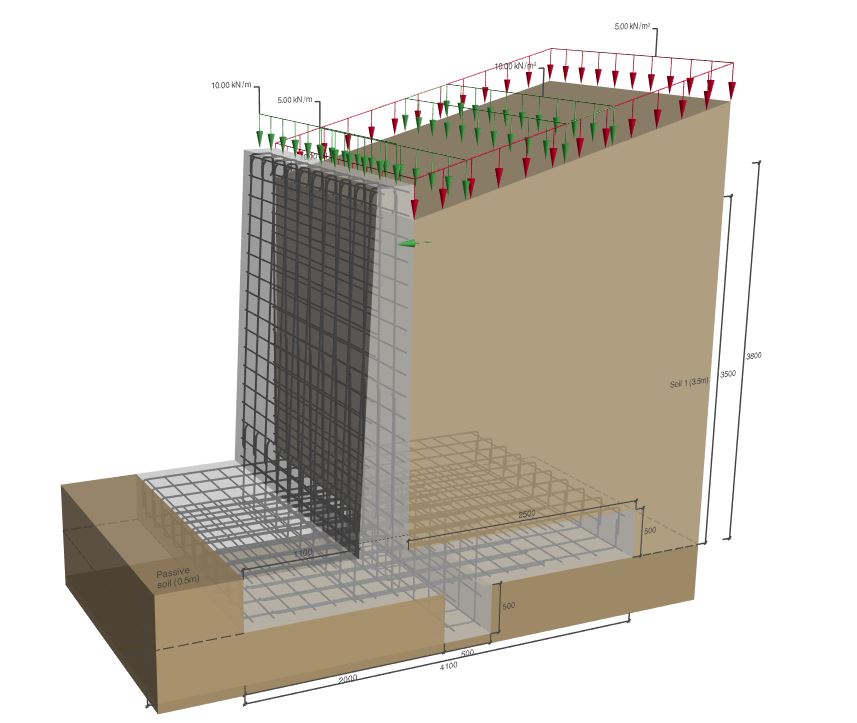
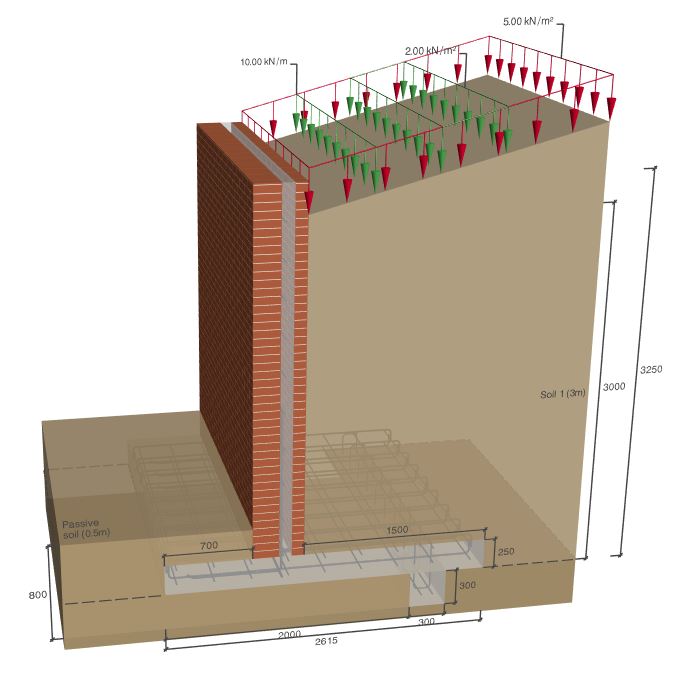
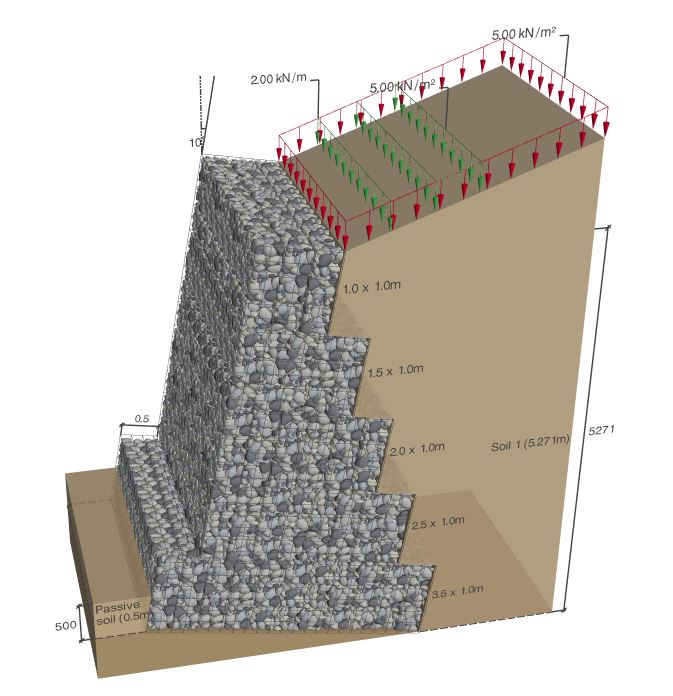
This application covers the design of Retaining Walls of Concrete, Masonry or Gabion types.
Timber Racking Designer for panels with or without openings.
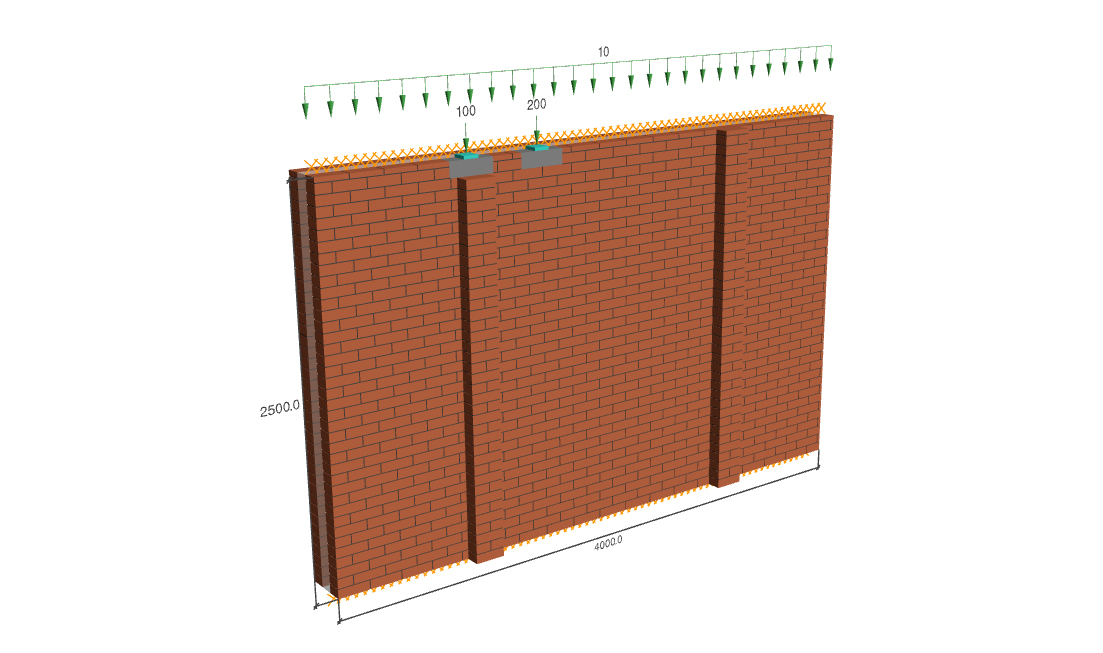
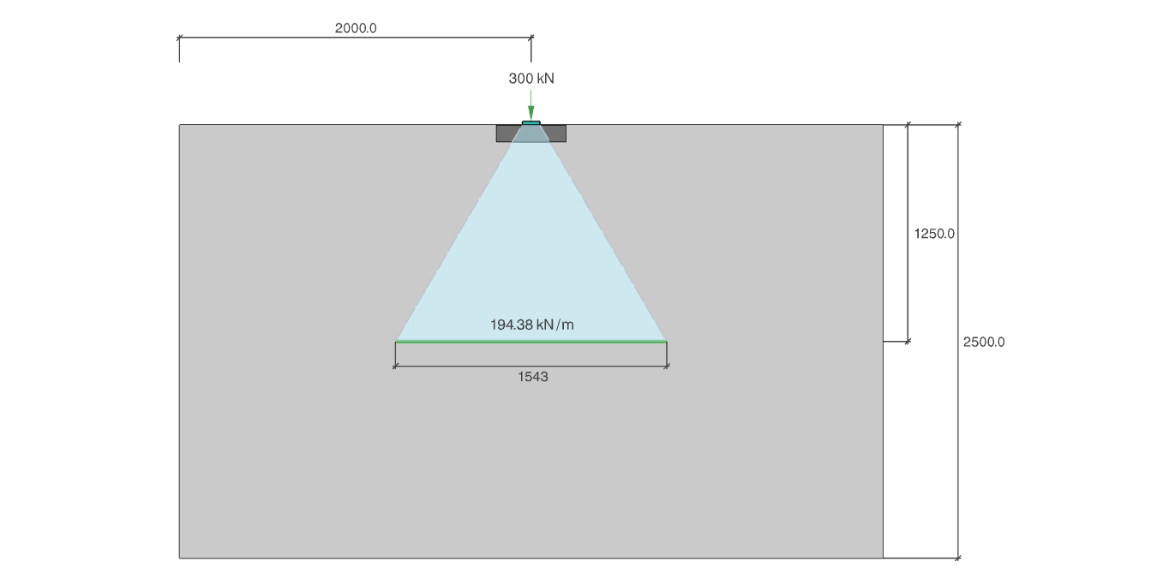
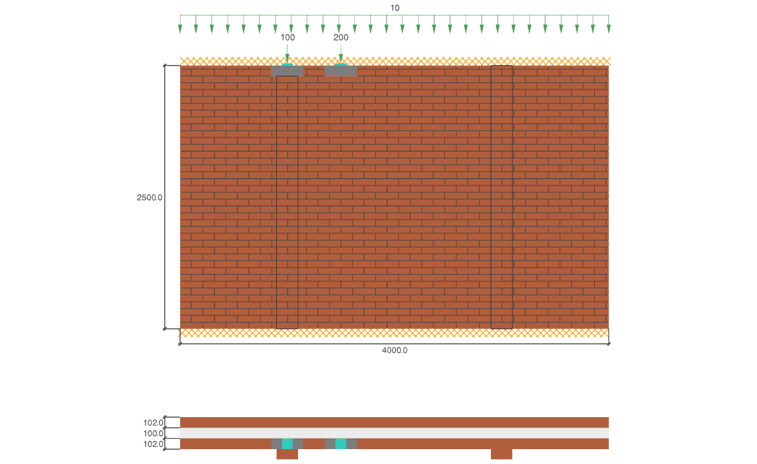
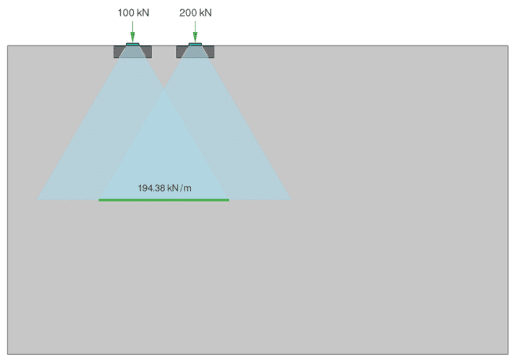
Masonry Bearing, a capacity check of single or cavity walls, and the design of concrete padstones or steel spreader plates.
Retaining Wall Designer
CADS Retaining Wall Designer is a computer program intended to assist the geotechnical and structural design of free standing gravity and semi-gravity retaining walls using Eurocode guidance where applicable. Several related design codes and publications have been consulted as listed in the references in section 6 of this guide and in some cases new solutions have been developed as far as possible in accordance with the general principles of the design codes.
The program provides an analytical tool, not a direct design process. It remains the user’s responsibility to assess soil conditions and strength parameters and to select the appropriate structural materials, dimensions and design parameters.
The program organises the input data and output results in such a way that you are led to consider all the relevant parameters in a logical and complete manner. The calculations, which are tedious, confusing and prone to error when carried out by hand, are completed accurately in moments by the program, allowing you to consider alternative parameters and arrangements with ease and confidence.
After finishing the calculations, a brief message at the top of the window is shown to indicate adequacy or failure of the retaining wall. A summary of input data and calculation results is displayed in the Calculation Summary Report. Detailed line by line calculations may be viewed and if necessary, printed by selecting the Calculations Report option to show logic, equations and their results and by selecting Detailed Report, the numerical values are shown as substituted in the equations.
The current version of the software contains three modules for the design of:
- Reinforced concrete retaining wall
- Unreinforced Masonry retaining wall
- Reinforced masonry retaining wall
- Gabion retaining wall
Each of the above sections are complete in themselves and may be read independently without cross referencing.

Timber Racking Design
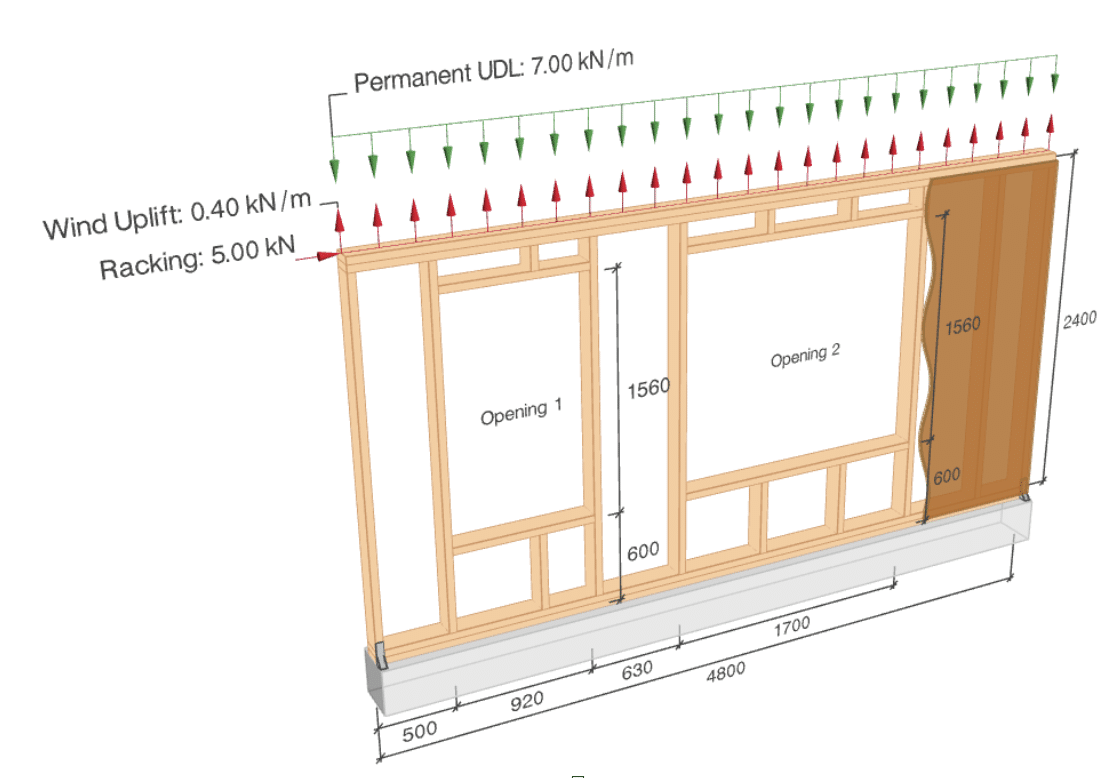
The Timber Racking Panel application is used to evaluate the racking resistance and overall stability of timber wall panels subjected to in-plane horizontal loads. The design is carried out in accordance with BS EN 1995-1-1 and the UK National Annex to BS EN 1995-1-1, together with the complementary UK guidance given in PD 6693-1:2012.
In accordance with Clause NA.2.10 of the UK National Annex to BS EN 1995-1-1, the simplified method given in PD 6693-1 is adopted for wall diaphragms that resist uplift through the sheathing-to-timber fasteners and through the connections between the base of the wall diaphragm and the supporting structure. This approach is commonly used in the UK for platform timber frame construction.
Masonry Bearing Designer
CADS Masonry Bearing Designer is a software application for assessing the vertical load-bearing capacity of masonry wall panels subjected to point loads and uniformly distributed loads. The application supports both single-leaf and cavity wall configurations, with options for plain walls or walls with piers. Design checks are carried out in accordance with BS EN 1996-1-1:2005+A1:2012 and UK National Annex.
Videos
CADS Timber Racking Panel

CADS Retaining Wall Designer
Request a Trial for CADS Hub
Request your free CADS Hub trial today and discover its powerful capabilities for yourself.
Click the button for a free trial or call our Sales team on 01202 603031.

No Pay-Per-User
Licencing
Share licences across your team without paying for every individual user.

Own Your
Software
Perpetual licensing gives you long-term value and complete control over your investment.

Built Around
Your Business
Flexible cloud licensing designed to support office, hybrid and remote teams.

Built For
Every Project
Whether you’re designing in steel, concrete, timber or masonry, CADS Hub provides the specialist applications you need in one connected platform.

Better License
Utilisation
One license can be used across different CADS Hub applications, helping reduce unnecessary costs.

Always
Improving
Regular updates, new applications and continuous development ensure CADS Hub keeps evolving with your business.