Simple Steel and Timber Frame Connection Design
For simple connections in steel where there is no moment loads, and timber connections typically found in roof trusses and frames.
Steel Simple Connection Designer
CADS Steel Simple Connection Designer is a program for checking of simple connections based on BS EN 1993:2005 – Design of Steel structures – Part 1-8 Design of joints and SCI P358 – Joints in steel construction: Simple joints to Eurocode 3.
The following types of connections can be checked by this application:
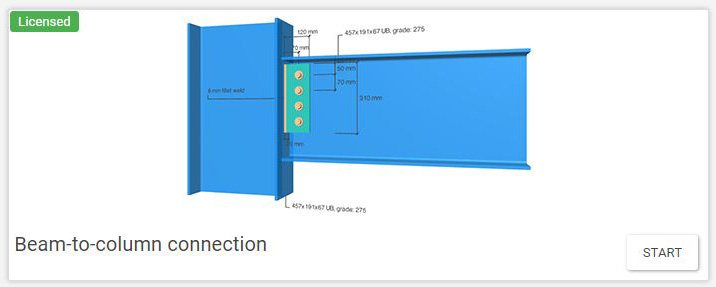
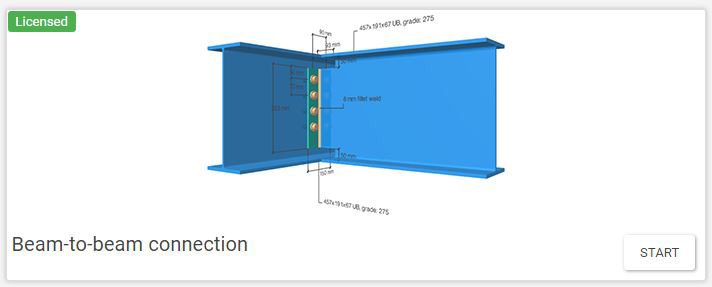
- Beam-to-beam connection (end plate or fin plate)
- Beam-to-column connection (end plate or fin plate)
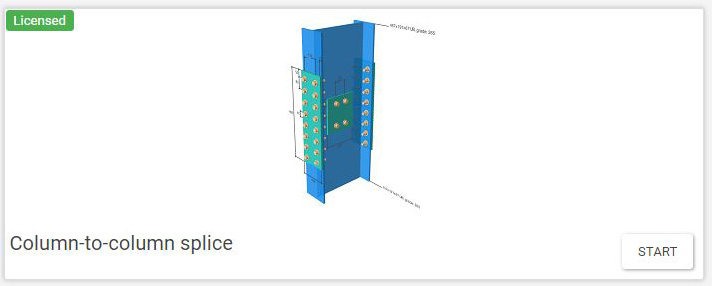
- Column splice (bearing or non-bearing)
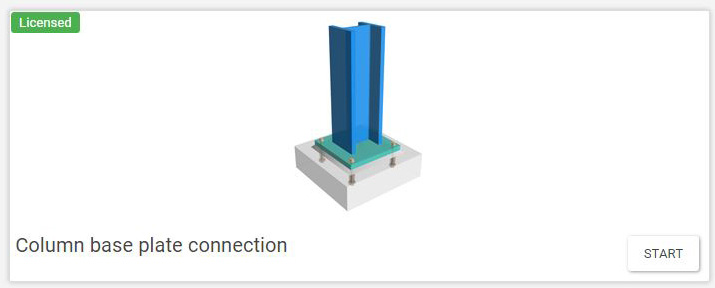
- Column base plate
- Beam-to-beam splice
According to BS EN 1993-1-8:2005 nominally pinned joints, checks of the joint are made to ensure it;
- Should be capable of transmitting the internal forces, without developing significant moments which might adversely affect the members or the structure as a whole;
- Should be capable of accepting the resulting rotations under the design loads.
- Can provide the directional restraint to members which has been assumed in the member design;
- Will have sufficient robustness to satisfy the structural integrity requirements (tying resistance).
Verification checks, below, are also made of the strength of a nominally pinned joint;
- To ensure that the joint is detailed such that it develops only nominal moments which do not adversely affect the members or the joint itself. The joint should be detailed so that it behaves in a ductile manner;
- To identifying the load path through the joint i.e. from the beam to the supporting member;
- To check the resistance of each component.
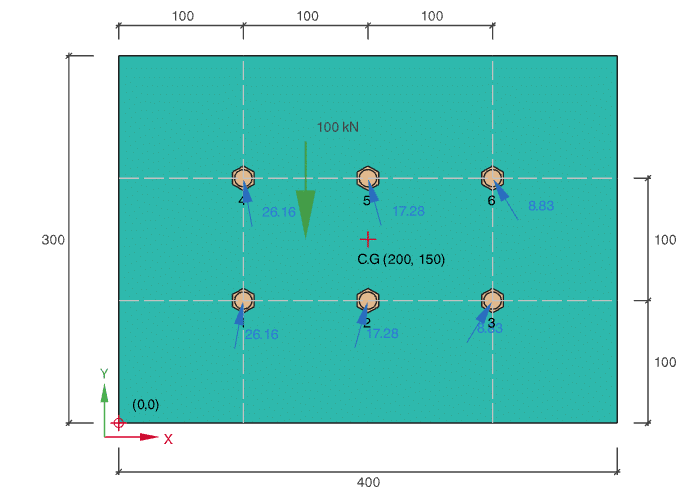
CADS Bolt Group Analysis is a software application to calculate the forces in a bolted connection. The program uses the elastic method to calculate and check the force distribution in a connection subjected to vertical, horizontal, inclined, and torsional loading.

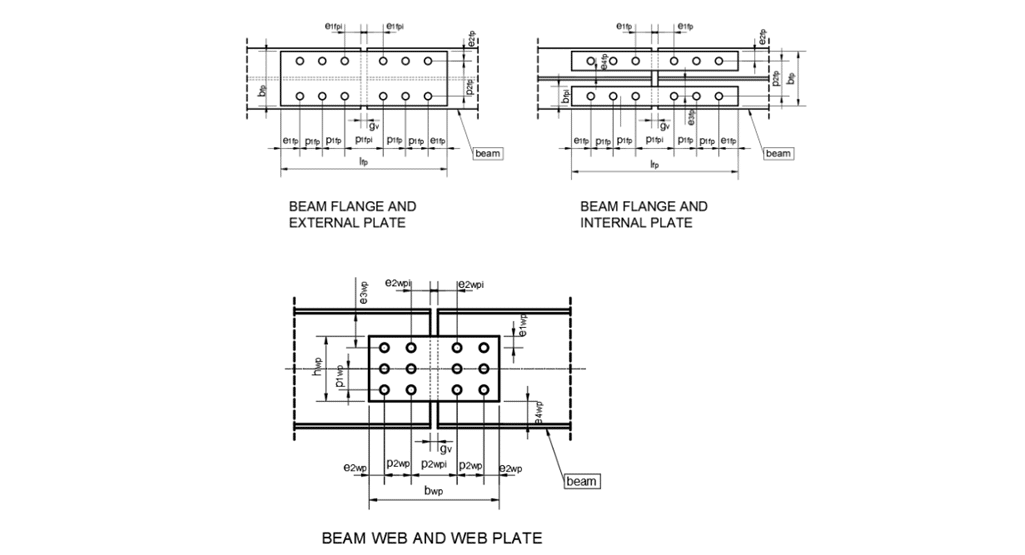
In beam-to-beam splice connection the forces are transferred through the cover plates and bolts. The web splice plates and bolts are typically responsible for transferring vertical shear forces between connected beam segments. The flange plates and associated bolts transfer the tension and compression resulting from the bending moment at the splice location, like the flanges in the main beam.
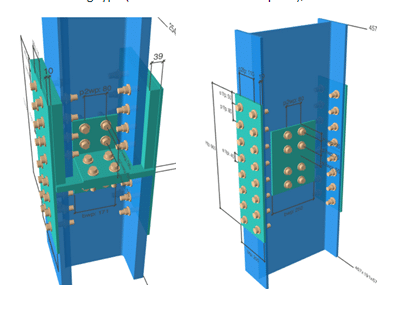
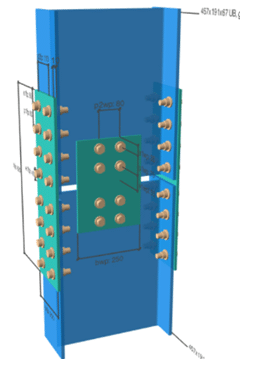
There are two types of column splice connection:
Top image: Bearing type (with or without division plate);
Bottom image: Non-bearing type.
Timber Connection Designer
Calculation
- Calculations are in accordance with BS EN 1995-1-1:2004+A2:2014 – Design of timber structures –
- Part 1-1 General Common rules and rules for buildings for UK National Annex.
- Verifies the capacity of the connection, connected members, gusset plates and fasteners.
Input
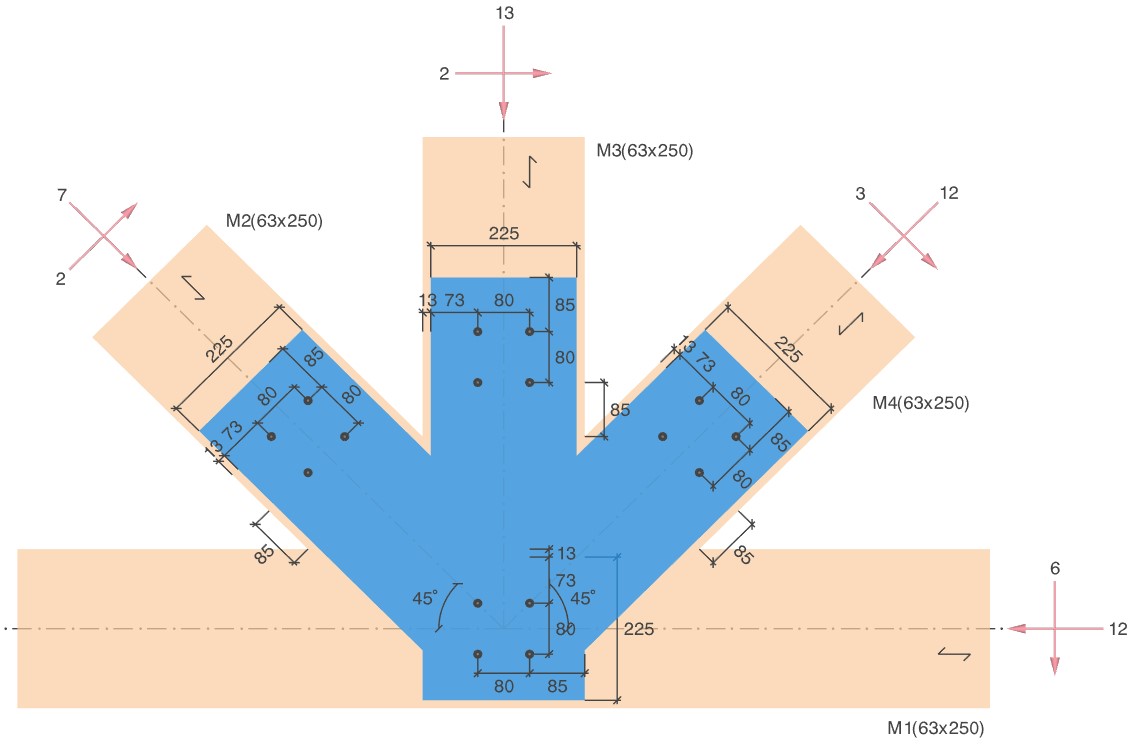
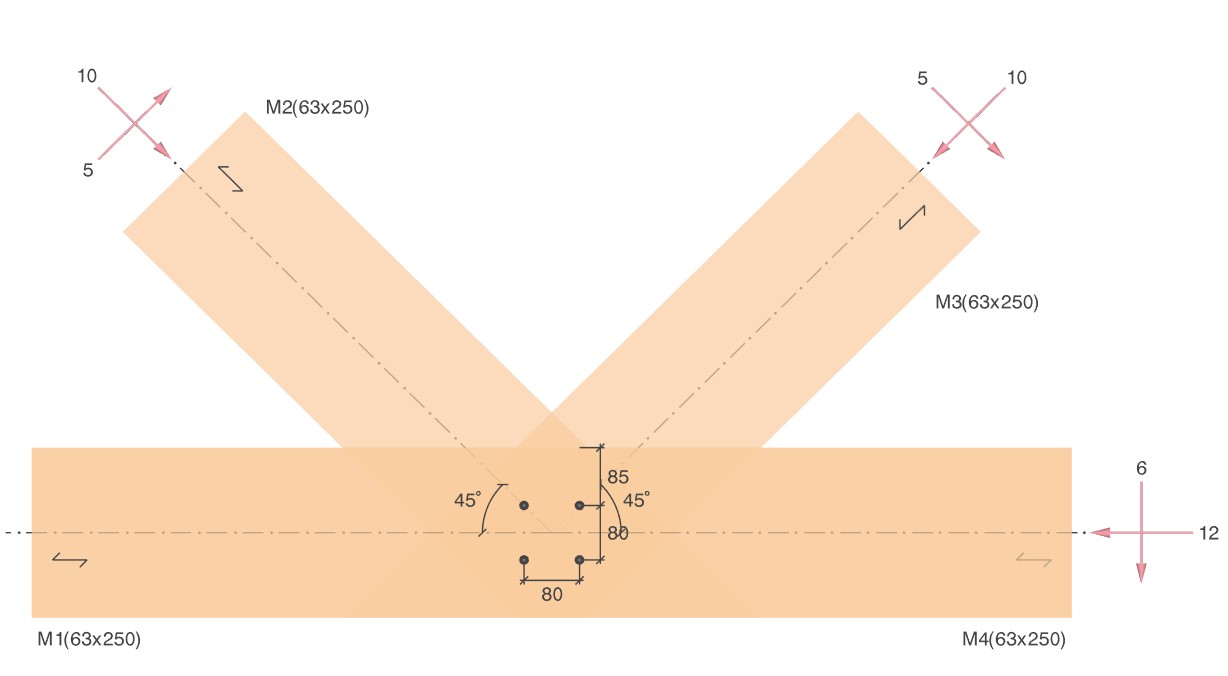
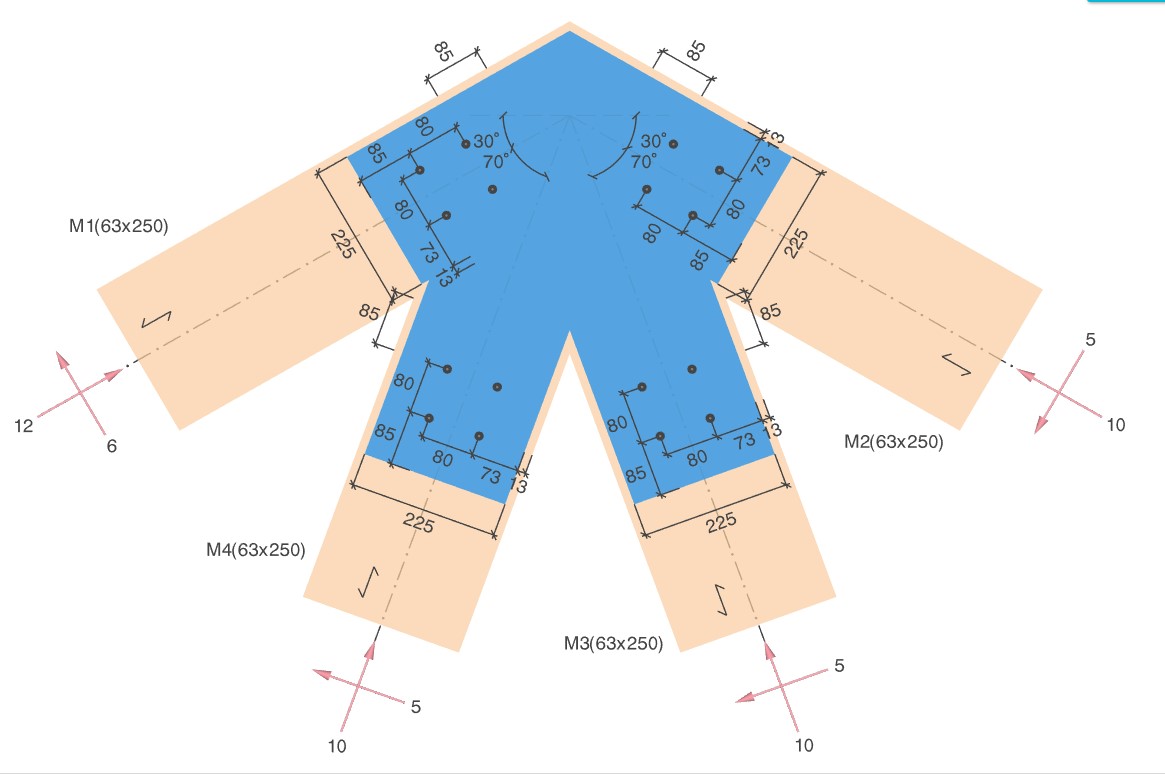
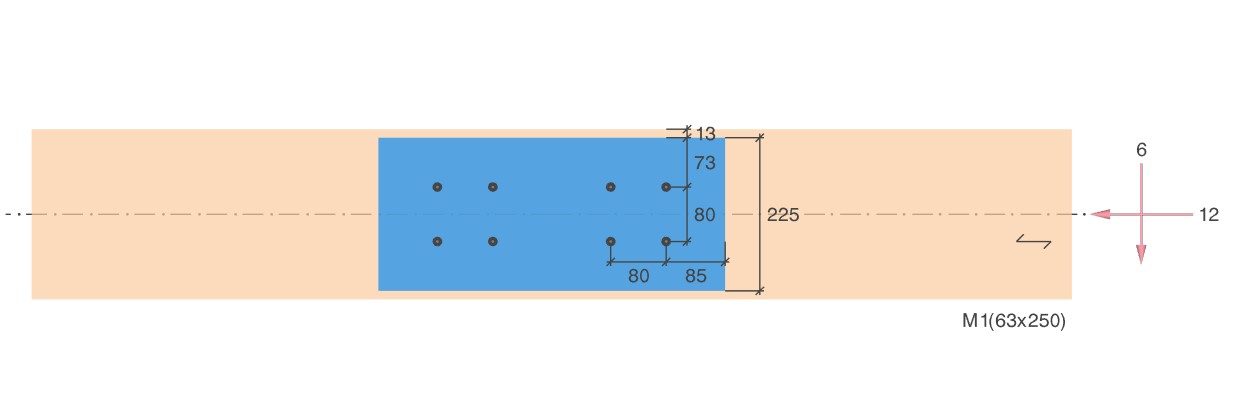
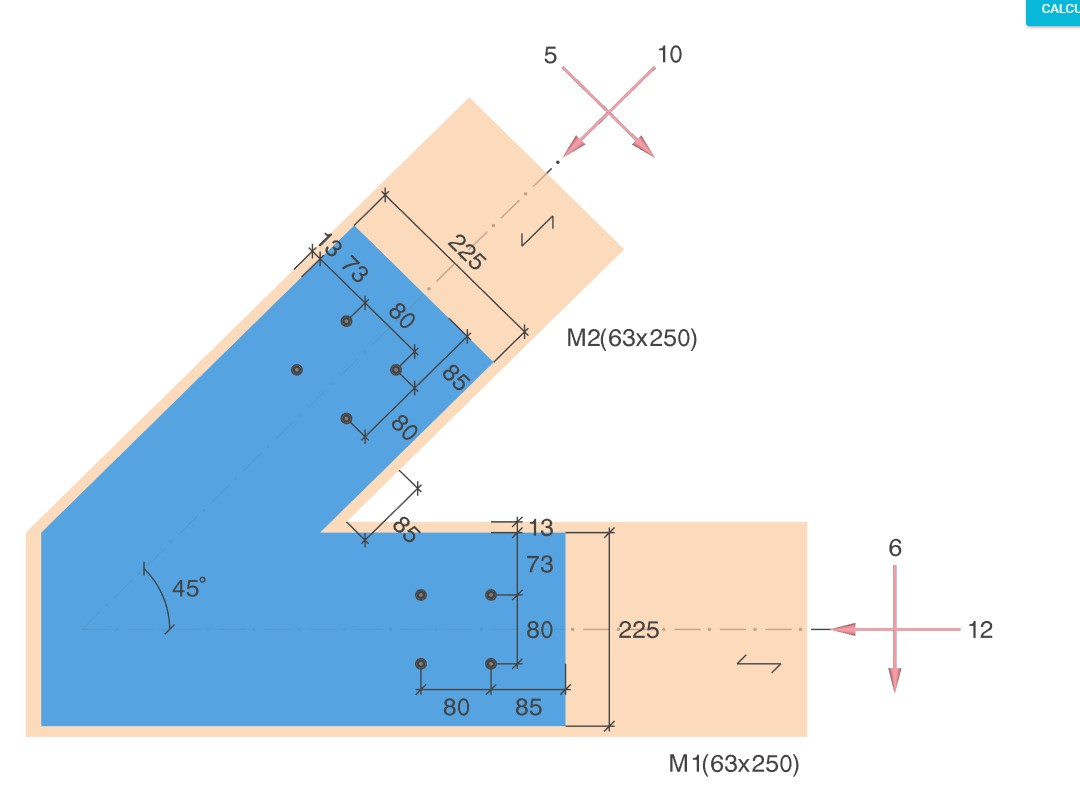
- Software supports different types of connections splice, apex/corner, and intermediate (with and without gusset plates);
- Different types of fasteners are supported based on connection types;
- Member properties such as material, cross-section and its orientation can be defined;
- Allows entry of factored axial, shear and moment loading along with the load duration.
Output
- 3D and 2D preview of the timber connection with loading details;
- Customisable output with 3 levels of output details;
- MS Word and PDF export of output reports.
Videos
CADS Steel Simple Connection Designer
Request a Trial for CADS Hub
Request your free CADS Hub trial today and discover its powerful capabilities for yourself.
Click the button for a free trial or call our Sales team on 01202 603031.

No Pay-Per-User
Licencing
Share licences across your team without paying for every individual user.

Own Your
Software
Perpetual licensing gives you long-term value and complete control over your investment.

Built Around
Your Business
Flexible cloud licensing designed to support office, hybrid and remote teams.
Built For
Every Project
Whether you’re designing in steel, concrete, timber or masonry, CADS Hub provides the specialist applications you need in one connected platform.
Better License
Utilisation
One license can be used across different CADS Hub applications, helping reduce unnecessary costs.

Always
Improving
Regular updates, new applications and continuous development ensure CADS Hub keeps evolving with your business.